
 Folia
Folia Paper
Paper Purpur
 Velocity
Description
Rankly
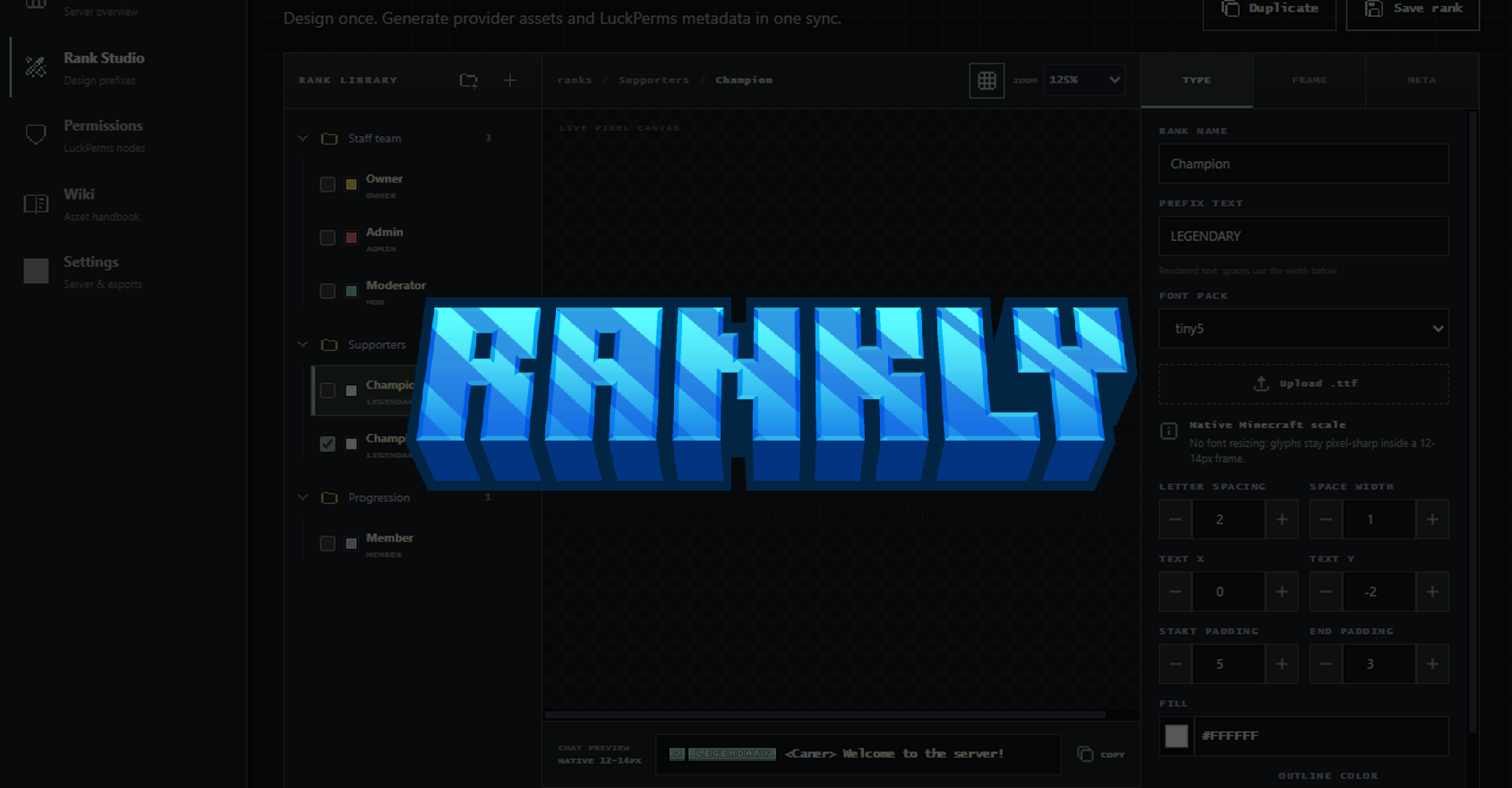
Rankly is a self-hosted Minecraft rank and prefix studio for Paper servers. It combines a browser-based pixel editor, automatic PNG generation, LuckPerms group management, and resource-pack export for ItemsAdder or Nexo.
Server owners keep their rank data, uploaded assets, API token, and generated files on their own server. No external Rankly account or hosted database is required.
Why use Rankly
- Design complete rank badges instead of manually editing resource-pack YAML.
- Preview the real 12 to 14 pixel badge before publishing it.
- Use exact bitmap font metrics, including correct widths for narrow and wide letters.
- Adjust letter spacing, spaces, text position, and start or end padding one pixel at a time.
- Enable or disable text outline and shadow independently.
- Recolor each source shade in a border or tint the complete border at once.
- Adjust border brightness, contrast, and saturation without smoothing the artwork.
- Add a separately colored left or right compartment with text or a small bitmap symbol.
- Import existing LuckPerms groups automatically on first startup.
- Edit permissions with suggestions collected from Bukkit, Rankly, and loaded LuckPerms data.
- Export directly to ItemsAdder or Nexo and optionally queue the provider pack rebuild.
- Upload server-owned TTF files and border triplets through the studio.
- Receive new bundled assets on plugin updates without overwriting server-owner uploads.
Requirements
- Paper 1.21.8 or newer
- Java 21 for Minecraft 1.21.x
- Java 25 for the Minecraft 26.x server line
- LuckPerms 5.5 or newer for group synchronization
- ItemsAdder or Nexo for generated resource-pack glyphs
- A compatible chat, TAB, scoreboard, or nameplate plugin that displays the selected provider's glyph syntax
Only install one resource-pack provider for a normal compatibility test. Running ItemsAdder and Nexo together can cause both plugins to manage the same pack surfaces.
Installation
- Stop the Paper server.
- Put
Rankly.jarinside the server'spluginsdirectory. - Install LuckPerms and either ItemsAdder or Nexo.
- Start the server once.
- Open
plugins/Rankly/config.ymland review the web, provider, and export settings. - Restart the server or run
/rankly reloadafter a supported configuration change. - Run
/rankly webto display the studio address.
Rankly generates a private API token in config.yml. Enter that token on the studio Settings page when requested. Do not publish the token or place it in a public URL.
Web configuration
For a studio available only on the same machine:
web:
  bind: 127.0.0.1
  port: 8765
  public-url: ''
For a hosting panel with an allocated web port:
web:
  bind: 0.0.0.0
  port: 8765
  public-url: 'https://panel.example.com/rankly'
Use the port allocated by the hosting provider. Do not use a public or NAT address as web.bind unless that address is actually assigned inside the server container. Use a trusted HTTPS reverse proxy before exposing the studio to the internet.
If the studio cannot bind, Rankly keeps rendering, LuckPerms synchronization, provider export, and commands active. Fix the address or port and run /rankly reload.
ItemsAdder setup
Recommended configuration:
integration:
  provider: itemsadder
  auto-reload: true

exports:
  namespace: rankly
  itemsadder-directory: ../ItemsAdder
After a successful sync, Rankly writes files such as:
plugins/ItemsAdder/contents/rankly/ranks.yml
plugins/ItemsAdder/contents/rankly/textures/ranks/champion.png
Rankly then queues /iazip when automatic reload is enabled. Check the ItemsAdder console output, join the server, and accept the rebuilt client resource pack.
Nexo setup
Recommended configuration:
integration:
  provider: nexo
  auto-reload: true

exports:
  namespace: rankly
  nexo-directory: ../Nexo
After a successful sync, Rankly writes the namespaced texture and glyph configuration, then queues /nexo reload all.
First use
New installations include a Champion showcase rank. It demonstrates a native bitmap font, exact spacing, outline, shadow, tint replacement, tone adjustments, and a LuckPerms permission node. Duplicate the showcase before experimenting if you want to keep the original example.
When LuckPerms already contains groups, Rankly imports missing groups into an Imported from LuckPerms folder. It imports the group name, display name, weight, direct permanent global permissions, and the highest direct permanent global prefix. Imported groups are not published back immediately. Review them in the studio, then run /rankly sync.
To publish a rank:
- Open Rank Studio.
- Select or create a rank.
- Choose a font and border.
- Adjust text, spacing, colors, effects, and position.
- Add optional permission nodes.
- Save the rank.
- Run
/rankly syncor press Sync in the studio. - Check the provider build log and test with a client that received the new pack.
Fonts, borders, and symbols
Rankly includes complimentary font examples and small open-license bitmap fonts. Customers do not pay a separate asset price for these fonts. The paid visual asset component is the original Rankly border artwork supplied by the publisher.
Server owners can add their own assets below:
plugins/Rankly/assets/fonts/
plugins/Rankly/assets/borders/
plugins/Rankly/assets/symbols/
Bitmap font atlases use a 128 by 128 image containing 16 by 16 cells. Each cell is 8 by 8 pixels. Border folders require start.png, middle.png, and end.png. Every border part must be exactly 3 pixels wide and 12, 13, or 14 pixels high. Symbols must not exceed 8 by 8 pixels.
Plugin updates install newly listed bundled assets without overwriting files that already exist in the server-owned catalog. Retired bundled samples are moved to plugins/Rankly/assets/retired instead of being permanently deleted.
Commands
/ranklyshows the current rank count and studio status./rankly webshows the studio address and token status./rankly syncsynchronizes LuckPerms and exports provider assets./rankly exportexports provider assets without changing LuckPerms./rankly reloadreloads supported configuration and local rank data.
Permissions
rankly.adminrankly.webrankly.syncrankly.exportrankly.reload
Grant administrative permissions through LuckPerms instead of leaving staff accounts permanently operator-enabled.
Troubleshooting
Cannot assign requested address
Set web.bind to 0.0.0.0 for an allocated remote port or 127.0.0.1 for local access. Put the public studio address in web.public-url.
The badge does not appear in game
Confirm that the provider generated a new resource pack and that the player downloaded it. LuckPerms stores the prefix value but does not draw PNG files. The active chat or TAB plugin must also support the provider's glyph or placeholder syntax.
An uploaded font looks uneven
Use a true pixel font with integer-aligned glyphs. Rankly's bundled bitmap fonts use trimmed visible bounds so wide letters such as W reserve their full width while narrow letters do not carry invisible side padding.
Provider reload was rejected
Read the ItemsAdder or Nexo console error, correct the provider configuration, then run /iazip or /nexo reload all manually.
Backups and security
Back up plugins/Rankly, the selected provider directory, and LuckPerms before a production migration. Keep the generated API token private. Use HTTPS for remote access and restrict the studio port with the hosting firewall or reverse proxy.
The default LuckPerms synchronization mode preserves unrelated permission nodes using Rankly ownership markers. Prefix and weight nodes on managed groups are owned by Rankly. Review the synchronization policy before connecting an established production permissions database.
Third-party notice
Minecraft, Paper, LuckPerms, ItemsAdder, and Nexo are third-party products. Their names describe compatibility only. Rankly is not affiliated with or endorsed by Mojang, Microsoft, or those projects. ItemsAdder and Nexo are not included with Rankly and must be obtained separately from their official sources.
Reviews
There are no reviews yet.